If the context is clear, the prompt can be simple
I thought better prompts were the answer. The real problem was that my AI assistant could not see enough of the system.

I thought I needed better prompts.
That took me longer to understand than it should have.
I have used AI assistants heavily for about two years now. ChatGPT, Codex, Claude, Kiro IDE, and whatever else happened to be useful at the time. At first I thought the main skill was learning how to prompt better.
Better prompts do help.
But at some point I realised I was spending more time explaining the same background than asking the actual question.
The problem was not always the prompt.
The problem was scope.
What do I mean by scope?
I do not only mean “more files”.
I mean the assistant can see how parts of the system interact with one another. The invisible parts. The bits a human on the project carries around in their head without noticing.
For example, if an assistant only sees one backend service, it may not know that shared TypeScript types live in a separate internal module. So it creates new local types inside the service.
That is a reasonable answer from the assistant's point of view.
It is also wrong for the system.
Then, after waiting for the answer, I have to explain the missing context and ask it to move the types into the correct module. The work gets done eventually, but the first answer was solving the smaller problem it could see instead of the actual problem I had.
That is the kind of thing I mean by scope.
Scope is relationships, conventions, runtime feedback, examples, and boundaries. It is not just file count.
Where did I first notice this?
The first place I really noticed it was not at work. It was in StoryVerse, a private project of mine.
StoryVerse is a web app I started building to help kids interact with AI properly without losing their creativity. I will probably write about it properly another time.
Because I was the only developer, I had full control over the shape of the project. From the start I built it with AI assistance in mind.
It was not a microservice system. It had a Fastify backend and a Vue frontend, but they lived together in one workspace.
That made a big difference.
The assistant could see both sides of a change. If I needed a backend API change and a matching frontend update, I did not have to paste both halves into the chat. The files were already there. If I was creating a data contract, the assistant could see how the backend returned it and how the frontend consumed it.
I was not doing “context engineering” properly yet. I was not using steering files well. The results were still inconsistent. Sometimes even inside the same Vue frontend, I would get different styles of implementation.
But it was the first taste of how much better AI felt when it could see more of the system.
What was the professional pain point?
At work, the situation was almost the opposite.
The system had become very modular. Each service had its own repository. Shared modules had their own repositories. Internal libraries, backend services, frontend applications, and infrastructure all lived in different places.
That structure made sense for normal development.
It was painful for AI-assisted development.
If I opened one service repo and asked for help, I first had to explain all the things that were not in that repo:
- where shared types lived
- which module handled service communication
- which casing rules mattered at the API boundary
- which patterns were standard
- which things should not be recreated locally
- how the old system behaved
- how the new service was supposed to replace it
Before I could ask the question, I had to rebuild the world around the question.
Then the chat context would eventually run out and I would have to do it again.
Or I would forget one small detail, and the assistant would produce something that looked fine in isolation but did not fit the platform.
This became more annoying as the system matured. More services meant more shared modules, and more shared modules meant more invisible context.
Opening one repo at a time no longer matched how the system actually worked.
Was the answer just a monorepo?
Kind of.
But not a real one.
A real monorepo was not the point, and it was not the shape the organisation had. Each service and module already had its own repo, history, permissions, pipelines, and habits around it.
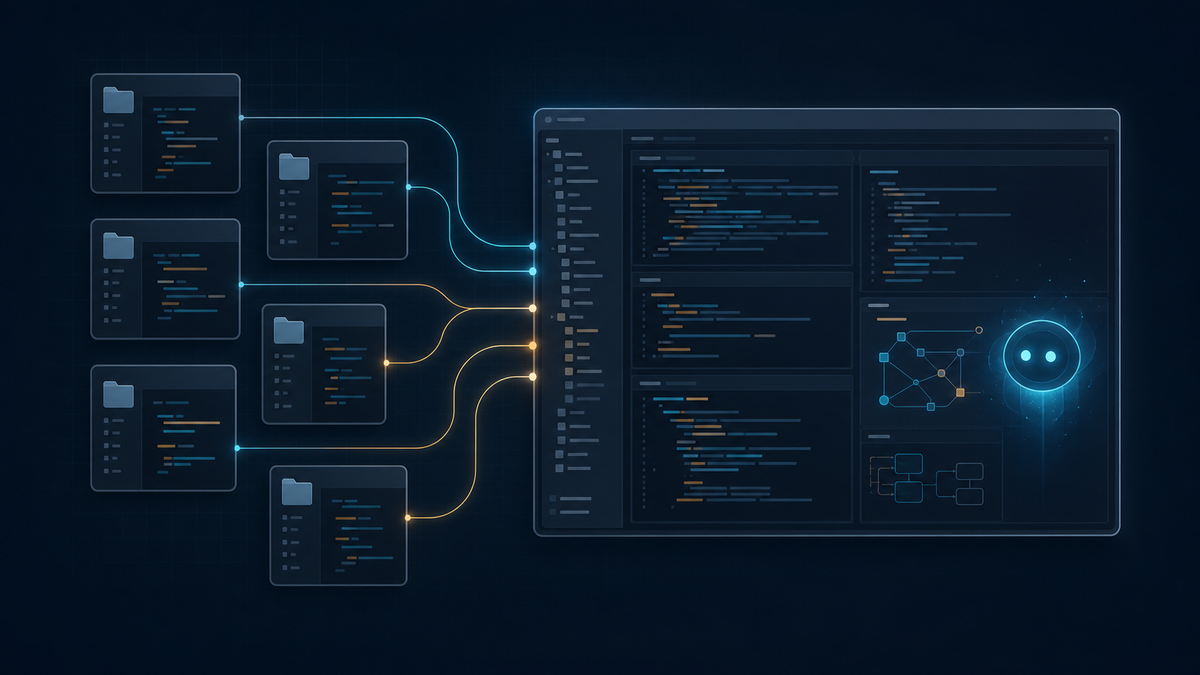
So I built what I started thinking of as a synthetic monorepo.
It looks like a monorepo in the editor, but it is not one Git repository.
Each project keeps its original repo. The workspace simply places them next to each other so the editor and AI assistant can see them together.
The distinction is roughly this:
Real monorepo

one-git-repo/
  service-a/
  service-b/
  shared-types/

Synthetic monorepo

my-workspace/
  service-a/       -> its own Git repo
  service-b/       -> its own Git repo
  shared-types/    -> its own Git repo
For example:
my-workspace/
  legacy-monolith/
  services/
    service-a/
    service-b/
  modules/
    shared-types/
    service-clients/
  apps/
    admin-ui/
  infrastructure/
    nginx/
    deployment/
  docs/
That is not my real folder structure. It is the shape of the idea.
The first version was much smaller. It was just for me. I put the newer backend services and shared modules together. No UI, no DevOps infrastructure, no old monolith yet.
Even that was already better.
Later I added the old C# monolith solution so the assistant could see both sides of the porting work: the thing we were moving away from and the new services we were moving into.
Then I added infrastructure files, which helped with things like routing.
Then UI projects, even though I do not mainly work on them, because backend API changes eventually affect frontend integration too.
It started as a personal convenience. It became the way the team works on the product.
Why did the workspace help?
Because many questions are not local.
If I ask the assistant to port an endpoint, the useful answer may depend on:
- the old C# implementation
- the new service structure
- shared data contracts
- existing converters
- service communication patterns
- frontend expectations
- routing rules
- logs from the running services
When those things are scattered across separate repos and only one repo is open, the assistant has to guess unless I explain everything.
When they are in the same workspace, the assistant has a chance to inspect the surrounding system.
Debugging became easier too, especially once infrastructure files were included. Sometimes the issue is not only in the service code. It might be routing, configuration, or how another part of the system calls into it.
Onboarding also became easier. Instead of sending a new developer through pages of separate Git repositories, the workspace gives one navigable view of the platform.
That matters even without AI.
With AI, it matters more.
Why was scope still not enough?
Seeing the files is not the same as understanding the rules.
This is where steering files became important.
The workspace shows the assistant what exists. Steering tells it how to behave there.
The assistant still needs guidance on:
- coding standards
- design principles
- architectural choices
- preferred patterns
- boundaries between modules and services
- what should not be repeated locally
That sounds simple, but if you do not get it right early, the drift can become real.
An assistant can produce code that works locally while slowly pushing the platform away from its intended patterns.
So the steering files stay intentionally slim. I do not want huge theoretical documents that nobody wants to maintain. I prefer short guidance that points at real examples.
Something like:
my-workspace/
  .kiro/
    steering/
      workspace-map.md
      backend-patterns.md
      shared-modules.md
      migration-rules.md
And the guidance itself should be practical:
# Shared modules

- Shared API contracts live in `modules/shared-types`.
- Do not recreate shared types inside individual services.
- Service-to-service calls should use the shared client module.
- Preserve external API casing when replacing legacy endpoints.
- Prefer existing examples over inventing a new pattern.
That is a made-up example, but it shows the point.
The assistant does not need an essay. It needs enough direction to avoid solving the wrong problem.
What are the trade-offs?
The first trade-off is Git.
Because this is not a real monorepo, a single logical change can touch several actual repositories. Each repo still needs its own commit, branch, push, and review.
The workspace view is unified.
The Git model is not.
That friction is real.
There is also maintenance. The workspace has to stay reproducible. If repos move, names change, origins change, or the team moves from one Git instance to another, the setup scripts need to be updated.
Steering files can also go stale. I have not had that become a major problem yet, but it is obviously possible. If the architecture changes and the steering files do not, the assistant may keep following old instructions.
There is also context overload. More scope is not automatically better. A huge workspace with no structure can become noise. That is why the steering files need to help the assistant navigate the workspace rather than treat everything as equally relevant.
Privacy matters too. This worked for us because the teams are small and the product context is shared enough that this kind of visibility is acceptable. In a stricter corporate setting, a synthetic workspace may need much clearer permission boundaries.
I also have not properly tested how portable the idea is across different IDEs. We considered a mixed setup at one point, but in practice we stayed with Kiro.
So no, this is not magic.
It is another thing to maintain.
But it has been worth maintaining.
What did I actually learn?
I used to think a lot of AI mistakes were prompting mistakes.
Some are.
But many of the frustrating ones were scope mistakes.
The assistant could not see the relationship between the service, the shared module, the old implementation, the frontend, and the infrastructure. So it answered the question it could see.
That is not stupidity. That is missing context.
Better prompts can help, but there is a limit to how many times I want to paste the same architecture explanation into a chat window.
At some point, the better answer is to change the workspace.
If the assistant cannot see the relationships in your system, it will keep solving the wrong smaller problem.
That is the real lesson for me.
I did not need one perfect prompt.
I needed more scope.