How I imported 60,800 photos from an unreliable external hard drive

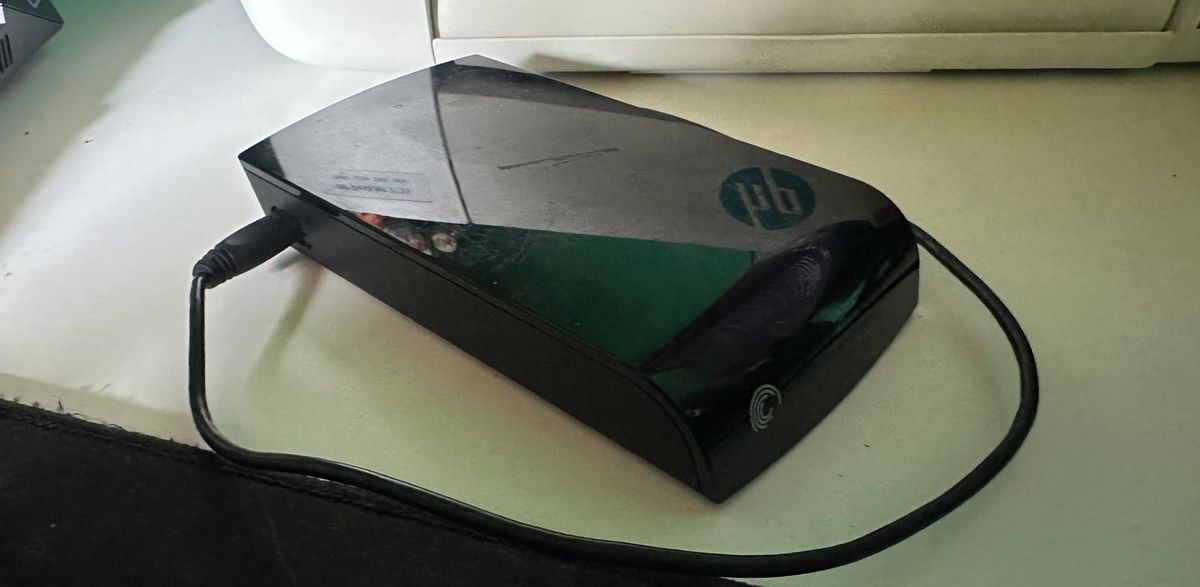
I had an old NTFS external hard drive containing photos, videos, documents, and a lot of disorganised files. Reading it on my Linux machine was painful. Some folders or files could lock things up just by trying to explore them.
The photos were particularly important. I wanted as many useful images as I could get off it, without spending two days on the transfer or repeatedly getting stuck in the same places.
I already knew I wanted hashing and a database lookup to avoid duplicates. I worked through the approach with an AI assistant, which refined it as I explained the drive and its limitations. It chose Python and wrote the implementation. I would not have written it in Python myself; I do not know the language well enough.
The result was a single-file importer using Pillow, SQLite, and SHA-256. It copied 60,800 images and skipped 48,121 exact duplicates in about three and a half hours.
What mattered for this job
I was willing to leave some images behind. I wanted a useful collection off this drive quickly, not an exhaustive recovery of everything on it.
| Constraint | Decision |
|---|---|
| Some folders or files failed to read | Log failures, continue, and skip folders after repeated I/O errors |
| The source was a slow mechanical drive | Use one reader; keep the database and logs on the internal disk |
| Photos were mixed with unwanted images | Filter folders, filenames, formats, and dimensions before reading entire files |
| Filenames could not identify duplicates | Use file size and a prefix hash to choose a path, then full SHA-256 to confirm |
| Extra reads cost time | Hash the same chunks being copied |
| A run might be interrupted | Save completed decisions in SQLite |
| Partial copies should not look finished | Write temporary files, then publish under their final names |
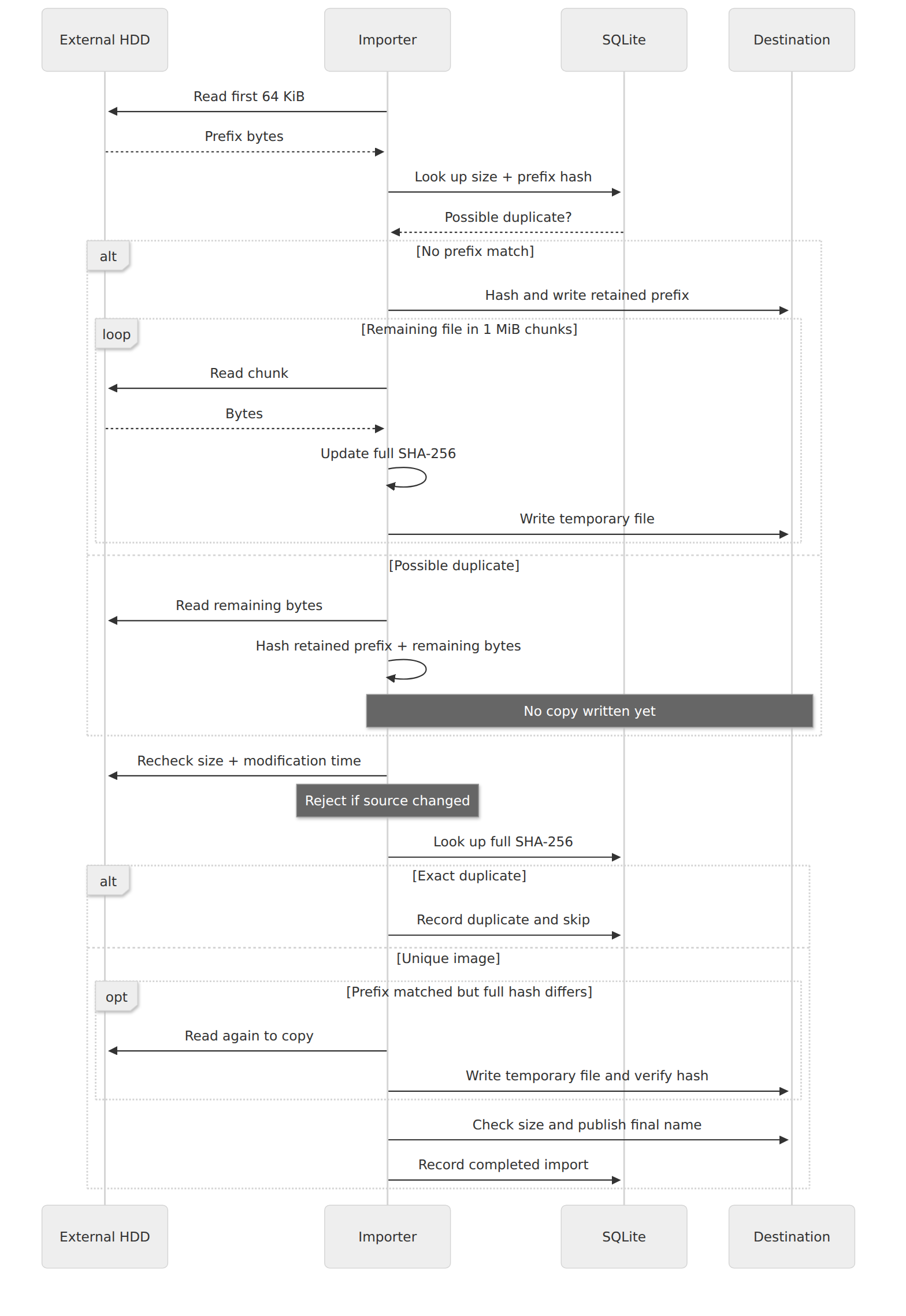
This sequence starts after an image passes the filters. Previously completed files can take a shorter cached path.
Filter before reading everything
The inventory found 130,880 image candidates, about 195 GB. Selected folders were excluded during traversal, including system folders and caches. Symbolic links were not followed.
The importer considered JPG, JPEG, and PNG files. Pillow inspected their headers for the actual format and dimensions. I required a longest side of at least 1,200 pixels, a shortest side of at least 600 pixels, and an aspect ratio no greater than 3:1. Obvious thumbnail, icon, logo, sprite, and screenshot filenames were rejected too.
These filters were deliberately rough. Small real photos and panoramas could be left behind, while large graphics could pass. They suited what I wanted from this particular drive.
Two hashes, with different jobs
The first hash covers only the first 64 KiB. Combined with file size, it tells the importer whether an image might match something already imported.
If there is no match in SQLite, it starts copying immediately while calculating the full SHA-256. If there is a possible match, it calculates the full hash without writing a potentially unnecessary copy.
The prefix is only a hint. A suspected duplicate still needs a full read before it can safely be skipped. Two files can have the same beginning and different contents.
If the prefix and size match but the full hashes differ, the image is unique. That path needs another read to copy it, checked against the first hash.
This removes exact duplicates. An edited or recompressed version is normally kept, even if it looks like the same photo.
Hash what is already in memory
For likely unique files, the importer reads in 1 MiB chunks and uses each chunk for both hashing and writing. The prefix has already been read, so those bytes are reused too.
The central loop looks like this, simplified:
hasher = hashlib.sha256()
hasher.update(prefix)
destination.write(prefix)

while chunk := source.read(1024 * 1024):
    hasher.update(chunk)
    destination.write(chunk)

full_hash = hasher.hexdigest()
Chunking is ordinary. The useful part here is avoiding a separate full-file hashing pass on the usual copy path. Apart from the earlier header inspection, the source contents are read once.
I also kept it to one reader. Several workers asking a mechanical disk for different files could add competing seeks. The files were still scattered wherever the filesystem had put them, but at least the importer was not requesting several streams at once.
I did not benchmark other worker counts or copying tools. This was the approach I used, not a claim that it is the fastest possible one.
Remember what finished, and move past what failed
SQLite records paths, sizes, modification times, hashes, decisions, and destinations. Another run inventories the source again, but can reuse completed decisions where the metadata and destination checks still match.
New copies go into temporary files. The importer checks source size and modification time before and after reading, checks the copied size, and creates the final name using a hard link without overwriting an existing file. The name includes the full hash. An interrupted run can leave a hidden partial file, but that is not treated as a completed import.
After three I/O errors in a folder, the importer skips its remaining contents and remembers that decision. A retry option allows another attempt later. I preferred getting through the rest of the drive to repeatedly visiting a troublesome area.
There are limits. An operating-system read can still stall; logging errors does not give every disk operation a timeout. Header inspection does not prove an image is undamaged either. The script does not repair the drive or guarantee recovery of irreplaceable data.
Hashing the incoming bytes is also not independent verification of the saved copy. A sample of destination files was separately hashed and matched, but I did not read back every image.
What came out
The job finished in 3 hours, 33 minutes:
| Outcome | Count |
|---|---|
| Images copied | 60,800 |
| Exact duplicates skipped | 48,121 |
| Rejected by filters | 21,215 |
| Import errors or skips | 744 |
Those outcomes account for all 130,880 inventoried candidates. There were also 10 scan errors and five folders skipped after repeated I/O errors, so this was not a complete inventory of every image on the drive.
The final phase was complete_with_errors. About 104.8 GB had been copied. The progress report showed copies, duplicates, failures, and remaining space throughout, which made it much easier to tell whether it was still getting somewhere.
For what I wanted, it worked stunningly well. I had a useful collection on a different disk, a record of what had been skipped, and the source files had not been modified by the importer.
The complete importer
The Python importer is on GitHub. The version described here removes my personal folder exclusions and requires explicit paths. It uses Python 3 on Linux, Pillow, and the standard library.
After downloading photo-import.py:
python3 -m venv .venv
.venv/bin/python -m pip install Pillow
.venv/bin/python photo-import.py \
  --source /mnt/old-drive \
  --destination ./imported \
  --state ./.photo-import
Replace /mnt/old-drive with your mounted source. Keep the destination and state off the old drive. The destination filesystem must support hard links. Review EXCLUDED and the image filters first: they decide what gets left behind.
Add --inventory-only to inspect the candidate count before importing. Use the same paths to resume. --retry-io-errors clears the saved folder exclusions caused by repeated I/O errors.
This is the tool I used, with the compromises I accepted. Test it on a small disposable collection before trusting it with your own files.