Setting up the storage my homelab needed
I thought setting up the SER5 meant installing Docker and running services. Then 400 GB of family photos made me take storage and backups more seriously.

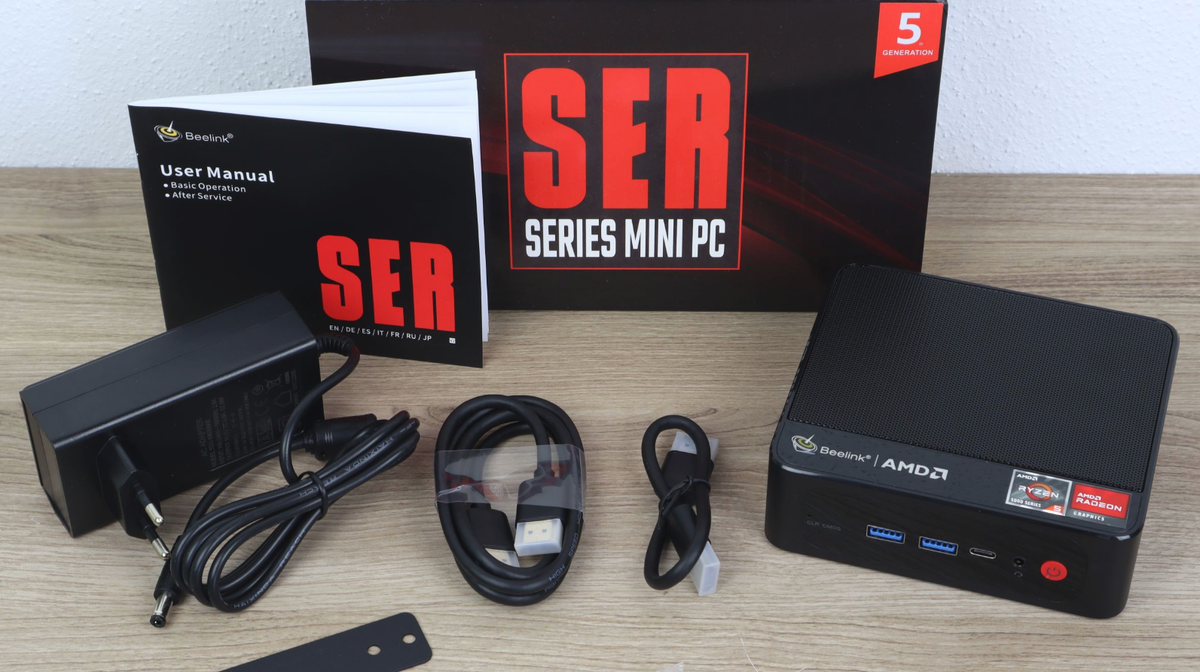
When the SER5 arrived, I imagined the next steps would be fairly simple. Install an operating system, set up Docker, and start running my services.
I had two external hard drives from the Raspberry Pi setup, one holding the content and another acting as a backup. I kept using them while I figured out storage.
Then I thought about importing more than 400 GB of family photos and videos from Google Photos. The movies were replaceable. Those photos were what I cared about. Storage suddenly needed more attention than I had given it.
The old drives were still working
Both external drives were working. I had read about NAS drives and started looking at WD Red, hoping for something better suited to staying on. I had no evidence that the old drives were about to die.
I have had two drives die suddenly in twenty years. Probably a decent rate. Apparently enough to send me researching replacements for two perfectly working ones.
If I was doing the homelab, I wanted to do this part properly.
Two 4 TB drives would have been cheaper
I had about 3.7 TB of data. Two 4 TB drives were tempting on price, but I would almost immediately be deciding what to delete.
I bought two 8 TB drives instead: one for data, one for backups. Today I have roughly 4.1 TB stored. I could have pruned things to fit smaller drives, but I did not want my first activity on the new storage to be making space.
I went around the RAID question too
I researched RAID before coming back to one disk with my data and another with a backup. Keeping services running through a disk failure mattered less than getting things back.
A RAID mirror would repeat my accidental deletions too. Older versions needed separate backups. I eventually used Restic and rsync, which protect different parts of the setup.
Discovering what a DAS was
I considered a rack, a NAS appliance, and individual drive enclosures. Then I discovered a DAS, or direct-attached storage enclosure: four bays, one power supply, and one USB-C cable to the SER5.
I worried about bandwidth. What if four people were streaming while downloads and backups ran?
In reality, it is usually just me. I planned for a small crowd and mostly built somewhere for myself to watch a movie.
Everything has worked as expected, although I have never tested that imaginary peak load. Installing the drives was dead simple, and two bays are still empty.
Making the drives part of the server
Formatting as ext4 was easy. Configuring /etc/fstab was familiar territory that I still did not feel confident about. ChatGPT helped with the UUID entries and options so both drives would be available after a restart.
Instead of the usual Windows drive letters, I mounted them at folders: /srv/nas for data and /srv/backup for the second drive. I rebooted to test the setup.
ChatGPT also helped configure Samba for access from other devices on the LAN. Copying the old data across was straightforward. I think I used rsync, although I cannot remember precisely.
Restic took days to get comfortable with
My old backup scripts were primitive. ChatGPT suggested Restic, which became the biggest learning curve. I had never used it.
Restic keeps daily, weekly, and monthly snapshot history for my configurations, database dumps, documents, and other selected files. It reuses data already stored in its encrypted repository rather than saving another complete copy each time.
Rsync mirrors the large photo and media libraries nightly. That is one refreshed copy, with no older versions. My script mirrors deletions too. If I delete a photo, the next run can remove it from the second drive. The Restic snapshots do not preserve the photo library itself.
Getting comfortable with this took days. I tested restoring a snapshot into another location, browsing it, and retrieving files. I wrote plenty of notes because I knew I would forget the commands.
About nine or ten months later, I looked at the snapshots out of curiosity. The list was longer than expected. With ChatGPT's help, I corrected the retention rules. They seem to work better now.
So the backups were running. They were just more enthusiastic about keeping things than I intended.
I would choose the same setup again
I would buy the same two drives and DAS again. QNAP could package more of it for me, but I prefer this setup.
Restic still gives me a few shivers. I forget the restore steps, check my notes, and make sure I have the repository password. It feels a little like looking after a crypto wallet's private key.
I am happy with it. I just occasionally need to remind myself how the thing I set up actually works.