I only wanted to sync a few recipes
I spent three days avoiding a $5 app before realising my existing homelab could sync Obsidian between Bazzite and iPhone.


How I ended up using WebDAV, Docker, and my homelab to sync Obsidian between Bazzite and iPhone.
Trying to up my home-dad game, I decided to take on a bit of cooking 101 with heavy assistance from ChatGPT.
I soon found myself asking the same questions multiple times or scrolling back through chats to find that one response I wanted to replicate. I started saving notes directly onto my iPhone while I was in the kitchen. When I was on my PC, I would browse YouTube videos and HelloFresh recipes that inspired me or that I wanted to try.
So I had the opposite problem on each device. The notes I wanted in the kitchen were on my PC, while the rough notes I made in the kitchen were on my phone.
The friction was getting in the way of simply walking into the kitchen and cooking. Creating a new habit is hard enough without small obstacles getting in the way.
What I wanted sounded simple: keep an Obsidian vault on my Linux PC and iPhone, then move notes and recipe PDFs between them. What followed was three days of trying increasingly elaborate ways to avoid spending about $5.
In the end, the answer came from infrastructure I already had at home. This is how I now sync Obsidian between Bazzite and iPhone using WebDAV, Docker, Caddy, and my NAS.
This should have been simple
If you use a Mac and iPhone, iCloud is an obvious option. Obsidian Sync is the straightforward cross-platform answer and its price is entirely reasonable.
I did not want another subscription if I could help it. I am actively trying to slim down the number I already have. One-time purchases are fine when I expect to use an app heavily or it solves something critical, but this use case felt too small even for that.
Paying would obviously have been the sensible thing to do. It would have saved me at least three days of trial and error. But I also enjoy finding my own solution and learning along the way. Whether that was proportional to the problem is debatable.
The solutions that nearly worked
Obsidian Sync and iCloud
Obsidian Sync was the easy answer:
Pay money = fix your problem.
I did not want to pay for another subscription.
iCloud would also have been easy if my devices all lived in Apple's world. Mine do not. My main PC runs Bazzite Linux.
Syncthing and Möbius Sync
Syncthing looked very promising. The proposed setup was:
- Syncthing on Bazzite
- Möbius Sync Pro on iPhone
Quite deep into setting it up, I realised that the “Pro” in Möbius Sync Pro meant a paid app. To be fair, it was only a small one-time purchase, around $5 when I looked, but by then I was convinced there must be a free solution for such a simple use case.
Git and Working Copy
At this point I asked ChatGPT for help. It recommended Git.
This sounded like a great idea because I was already using Git to store my Obsidian vault, with remotes in Bitbucket and my self-hosted Gitea instance. I could use Working Copy on the iPhone and keep the same repository-based workflow. I would need to pull and push manually, but that did not bother me.
ChatGPT was convinced: this was the best free solution.
I set up the PC side in minutes, installed Working Copy on the iPhone, and discovered that pushing required its paid unlock. The price shown to me was around $40.
I had not been willing to pay $5 for the previous app, so you can imagine where I landed with this one. My confidence in ChatGPT was also starting to dwindle. I had now been assured twice that I was following the best free option, only to find the limitation after doing the setup.
Let's recap.
All I wanted to do was move notes between my PC and iPhone.
Was that really so hard?
Joplin and LocalSend
I even considered moving away from Obsidian entirely and using Joplin with Dropbox. But I did not feel like migrating my notes and changing applications merely to exchange a few recipes.
For a while, I used LocalSend. When both devices were on the same Wi-Fi network, I could send text and PDFs between them. It was not streamlined, but it got a few recipes into the kitchen for a few nights.
It still was not the experience I wanted.
The answer was already at home
Until this point I had been using ChatGPT through its web interface. It knew the products I mentioned, but it did not know anything about the infrastructure I already had.
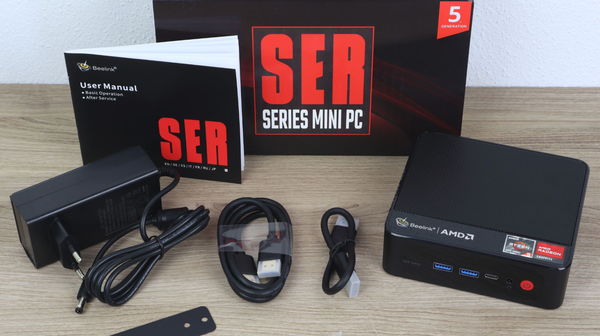
One night, I opened my Obsidian vault with Codex and asked it the same question. This time the assistant could see my homelab notes: an always-on SER5 mini PC, Docker, NAS storage, local DNS, Caddy, and Tailscale.
With that context, it suggested using the existing server as a WebDAV sync point. The answer suddenly seemed obvious.
ChatGPT knew the products I mentioned. Codex could see what I already had at home, and that changed the answer.
My final setup looks like this:
Bazzite: Obsidian + Remotely Save ─┐
                                   ├── obsidian.lan ── Caddy ── rclone WebDAV ── /srv/nas/obsidian
iPhone: Obsidian + Remotely Save ──┘
Each device still has its own local Obsidian vault. The NAS is the middle point used to exchange changes; I am not opening a live network-mounted vault from either device.
The pieces are:
- The
Remotely SaveObsidian community plugin on Bazzite and iPhone rclone serve webdavrunning in Docker on my SER5- NAS-backed storage under
/srv/nas/obsidian - Caddy at
http://obsidian.lan - An OpenWrt local DNS record that points
obsidian.lanto the SER5
This fits my setup because:
- There is no additional subscription or app purchase.
- Markdown remains local on each device.
- I avoid an iOS Git workflow.
- The remote copy is made of ordinary files on my NAS.
- Tailscale lets the same private setup work away from home, although it is not required for local sync.
This is not free in the same way for everyone. I already owned and operated the homelab. If you do not have an always-on server, paying for a finished sync service is almost certainly cheaper than building one just for this.
Why it uses HTTP
This WebDAV service is local and intentionally uses HTTP. It is available only on my trusted LAN or through Tailscale, and is not exposed directly to the public internet.
There is an obvious catch. WebDAV basic-auth credentials sent over HTTP are not encrypted on the LAN. I accept that inside my own network, but I would not publish this endpoint to the internet or use the same setup on an untrusted network. Adding local HTTPS is something I may do later.
The reverse proxy and network design deserve articles of their own.
What using it actually looks like
On my PC, I might download a HelloFresh recipe PDF and put it into my vault. I then ask Codex to adapt it: change six portions to three, convert the measurements to metric, prepare a shopping list, and replace difficult-to-find ingredients with obvious local substitutes.
The adapted recipe and shopping list go into the food section of my vault. In Obsidian, I press Ctrl+P and run Remotely Save: Start Sync.
Later, in the kitchen, I open Obsidian on my iPhone and run the same command. The recipe and shopping list are there when I need them.
The flow also works in reverse. I sometimes ask ChatGPT for cooking help while I am on my phone, save the rough result as a note, and sync it. When I return to the PC, I pull the note down and clean it up properly.
In practice, I do the fiddly work on the PC and use the phone for cooking and quick notes. WebDAV joins the two together.
Five months later
I have used this setup almost every weekday for around five months. So far it has worked without conflicts, missing attachments, overwritten notes, or data loss.
It is not perfect. I still trigger sync manually, and I have occasionally forgotten to run it on the PC before leaving the room. That means reaching for the phone later and discovering the note is not there yet.
Is it 100% seamless? No.
Is it good enough for my recipes? Absolutely.
It has also grown beyond recipes. I now use the same flow for personal notes, technical documentation, ideas, and even a gaming walkthrough containing many pages. Once sync worked, I started putting more of my life into the vault.
One Remotely Save setting caught me out. In version 0.5.25, which I currently use, the plugin aborts a sync by default if at least 50% of the vault would be modified or deleted. It is there to stop a bad sync from doing too much damage.
I set the threshold to 100, which effectively disables that protection. This is deliberate: I trust my workflow and do not want a legitimate large sync, such as that multi-page walkthrough, to be blocked. It also means the safety net is gone, so backups matter even more.
Runbook: my Docker, Caddy, and WebDAV setup
This is my actual setup. It assumes:
- An always-on Linux server with Docker Compose
- Storage mounted at
/srv/nas - Caddy already running in Docker
- An external Docker network named
proxyshared with Caddy - Control of local DNS, in my case through OpenWrt
- Obsidian installed on the PC and iPhone
Tailscale is optional and is not required for sync while at home.
1. Create the server directories
sudo mkdir -p /srv/nas/obsidian /srv/docker/obsidian-sync
sudo chown -R "$USER":"$(id -gn)" /srv/nas/obsidian /srv/docker/obsidian-sync
cd /srv/docker/obsidian-sync
2. Create the environment file
Create /srv/docker/obsidian-sync/.env:
webdav_user=obsidian
webdav_pass=replace-with-a-long-random-password
tz=Etc/UTC
Protect it from other local users:
chmod 600 .env
These are example credentials. Do not reuse them, commit the .env file, or publish its real contents.
3. Run rclone WebDAV in Docker
Create /srv/docker/obsidian-sync/docker-compose.yml:
services:
  obsidian-webdav:
    image: rclone/rclone:latest
    container_name: obsidian-webdav
    restart: unless-stopped
    command:
      - serve
      - webdav
      - /data
      - --addr
      - :8080
      - --user
      - ${webdav_user}
      - --pass
      - ${webdav_pass}
      - --disable-dir-list
      - --dir-cache-time
      - 10s
      - --poll-interval
      - 10s
    environment:
      - TZ=${tz}
    volumes:
      - /srv/nas/obsidian:/data
    networks:
      - proxy

networks:
  proxy:
    external: true
Create the shared network if it does not already exist, then start the container:
docker network inspect proxy >/dev/null 2>&1 || docker network create proxy
docker compose up -d
docker compose logs -f obsidian-webdav
4. Add the Caddy route
My Caddy container is attached to the same proxy Docker network and uses this reusable helper:
(proxy_to) {
  encode zstd gzip
  reverse_proxy {args[0]}
  log {
    output stdout
    format console
  }
}
Add the WebDAV host to the Caddyfile:
http://obsidian.lan {
  import proxy_to obsidian-webdav:8080
}
I reload Caddy from its Compose stack:
cd /srv/docker/caddy
docker compose up -d
docker compose logs -f caddy
When I first added obsidian.lan, Caddy continued serving its previous configuration even though the updated file existed on disk. A full container recreation fixed it:
docker compose down
docker compose up -d
5. Add local DNS
In OpenWrt, add a local DNS record that points obsidian.lan to the LAN address of the Docker host.
Verify from a client:
curl -I http://obsidian.lan
An unauthenticated 401 Unauthorized response is expected. It confirms that the endpoint is reachable and requesting credentials.
6. Configure Remotely Save on both devices
On Bazzite and iPhone:
- Open Obsidian's community plugin browser.
- Install and enable
Remotely Save. - Choose
WebDAVas the remote service. - Set the server URL to
http://obsidian.lan. - Enter the username and password from
.env. - Keep the same vault name on both devices when using the plugin's default remote-folder behaviour.
- Leave
.obsidianconfiguration-folder sync disabled initially. I do not want every desktop plugin and layout copied to my phone.
I use manual sync through the command palette:
Remotely Save: Start Sync
Remotely Save can also run on a schedule while Obsidian is open, but it cannot sync while the mobile app is suspended in the background.
7. Perform the first two-way test
Back up any existing vault before the first sync.
- Create a test note on Bazzite.
- Run
Remotely Save: Start Sync. - Confirm that files appear below
/srv/nas/obsidianon the server. - Open the matching vault on iPhone and run the same command.
- Confirm that the test note arrives.
- Create a second test note on iPhone and sync again.
- Sync on Bazzite and confirm that the phone-created note arrives.
If the first full sync is blocked because at least 50% of the vault would change, review the proposed operation carefully before raising the modification-protection threshold. I use 100 because I intentionally allow large changes, but that disables the protection rather than solving an error.
8. Keep the vault in Git
Sync is not backup. A mistaken deletion can propagate between devices.
I do not separately back up the WebDAV copy under /srv/nas/obsidian. My actual versioned backup is the Git repository on the PC. The vault's notes and attachments, including recipe PDFs, are committed and pushed to two remotes:
- My self-hosted Gitea instance
- Bitbucket, which provides an off-site copy
I intentionally exclude machine-specific Obsidian state, installed community plugins, caches, and workspace files under .obsidian.
If the WebDAV mirror disappears, I can recreate it from a client vault. If I accidentally sync a bad deletion, I can restore the tracked files from Git history.
What I would do differently
If I had known that rclone serve webdav and Remotely Save could use my existing homelab, I would have started there and called it a day.
I would not call this the best free way to sync Obsidian. It is my way, built from infrastructure I already had and wanted to understand.
$5 would have saved me three days. I cannot pretend this was the sensible way to solve the problem.
Still, I ended up with a working system, learned more about infrastructure I already owned, and now use the vault for much more than recipes. I am happy with the trade.